The dev widget
· week 40 · 2026
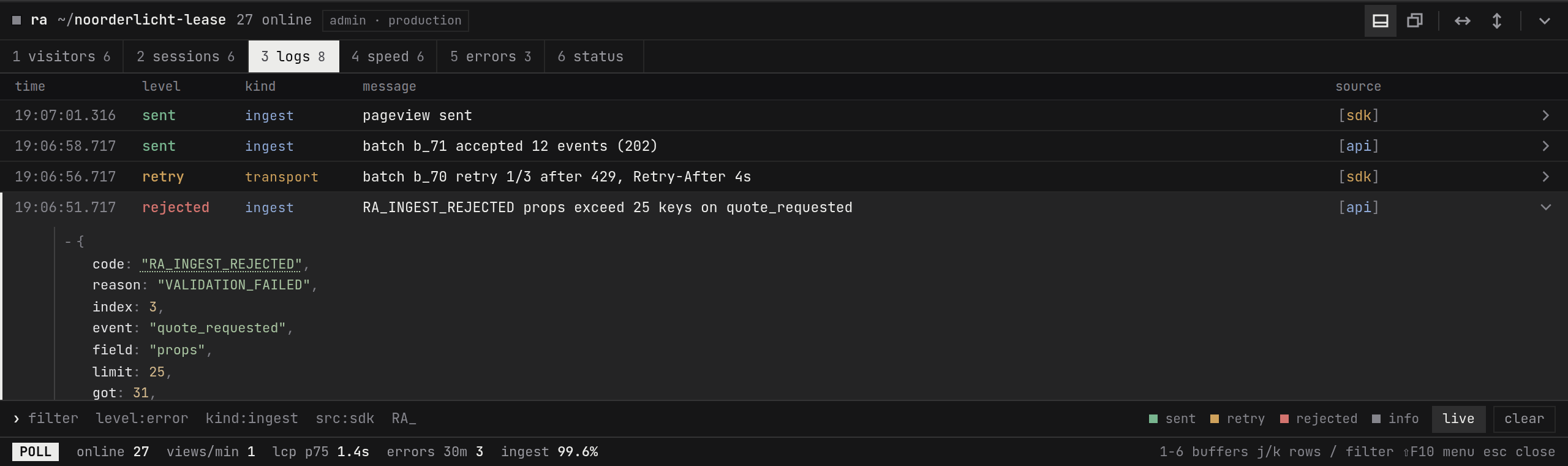
The dev widget puts a panel on your site. It loads only for a browser signed in to the API as an owner or admin of the project. Everyone else gets a 401 from GET /v2/widget/session and downloads nothing past a loader of under 1 KB.
It shipped as @spoar/devtools, a terminal-style panel with six buffers: visitors, sessions, logs, speed, errors and status. On 11 October 2026 @spoar/debugtools replaced it with a SQL console over the same project data, with a time range, a dataset library and your recent queries.
Try it on this site. Signed in as an admin of this site's project you see live data; anyone else sees sample data.
Or press Ctrl Shift KAdd it in a Next app with one component:
import { Debugtools } from "@spoar/debugtools/next";

<Debugtools endpoint="https://api.example.com" project="example.com" />;
Press Ctrl Shift K (or Cmd Shift K) to open or close it, and Esc to close it.